The Developer’s Guide to Building Your First MCP Server
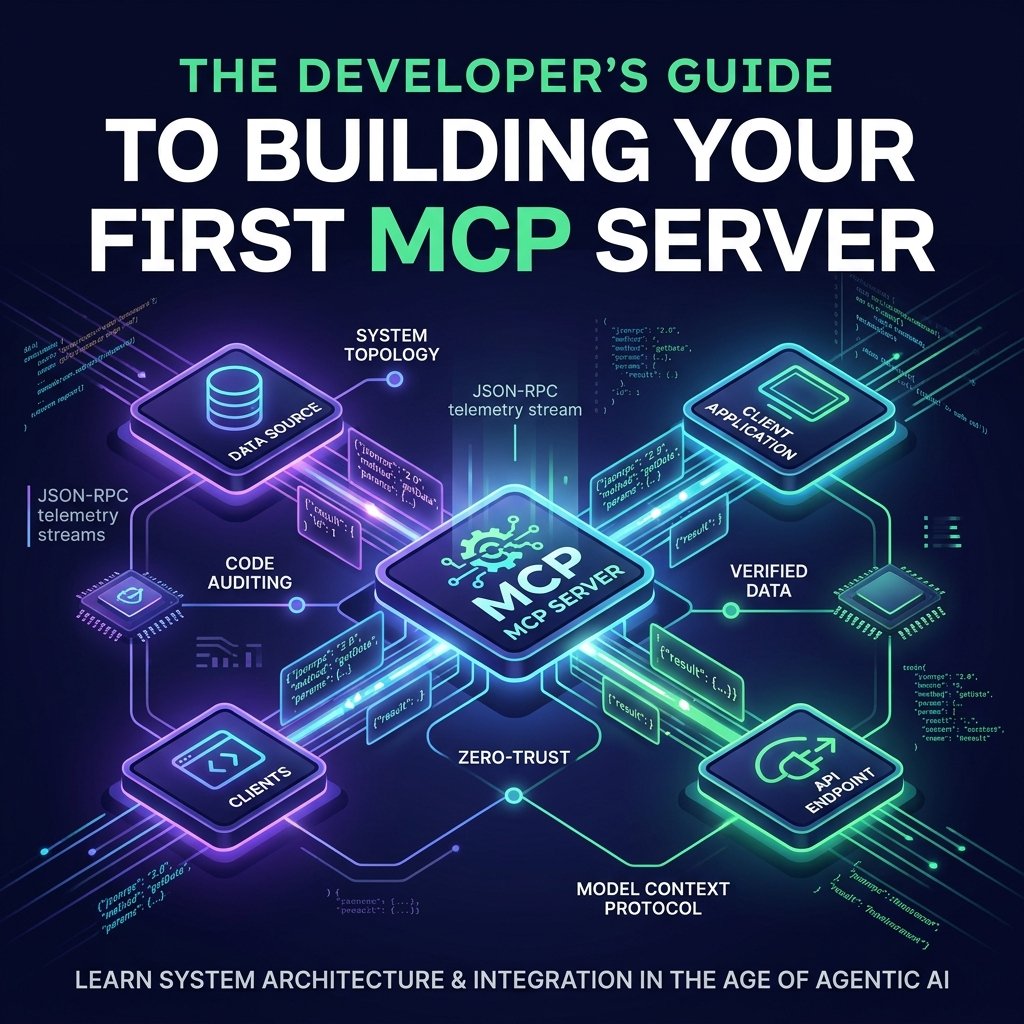
For years, integrating AI models with internal databases, third-party APIs, and local developer tools meant writing custom, single-use glue code. Every AI agent framework required its own proprietary plugin system or tool-calling schema, creating an $M \times N$ integration nightmare.
The Model Context Protocol (MCP)—introduced by Anthropic and governed by the Linux Foundation’s Agentic AI Foundation—solves this problem. Often described as the “USB-C port for AI application capabilities,” MCP provides an open, standardized specification based on JSON-RPC 2.0. It allows any AI host (such as Claude Desktop, Cursor, VS Code, or custom agent runtimes) to seamlessly discover and execute tools, read data resources, and run prompt templates exposed by an MCP server.
This guide demonstrates how to build, test, and connect a custom MCP server step by step.
💡 Key Concepts & Architecture
- MCP Host: The client runtime (e.g., Cursor, Claude Desktop) that orchestrates interactions between the user, the LLM, and MCP servers.
- MCP Server: A lightweight microservice that exposes data sources (Resources) and actionable execution endpoints (Tools).
- Transport Protocols: Local servers communicate over
stdio(standard input/output streams), while remote production servers stream JSON-RPC over HTTP with Server-Sent Events (SSE).- The Golden Rule of STDIO: On standard input/output transports, standard out (
stdout) is reserved strictly for JSON-RPC messages. All server logs must be routed to standard error (stderr).
1. Core Primitives of an MCP Server
An MCP server exposes three fundamental primitives to AI hosts:
┌──────────────────────────────────────────────────────────────────┐
│                   MCP SERVER PRIMITIVES                          │
├──────────────────────────────────────────────────────────────────┤
│                                                                  │
│  ┌───────────────────────┐          ┌─────────────────────────┐  │
│  │       TOOLS           │          │       RESOURCES         │  │
│  │ Executable functions  │          │ Read-only contextual    │  │
│  │ invoked by the model. │          │ data (files, DB rows).  │  │
│  └───────────────────────┘          └─────────────────────────┘  │
│                                                  │               │
│                                                  ▼               │
│                             ┌─────────────────────────┐          │
│                             │        PROMPTS          │          │
│                             │ Pre-defined prompt      │          │
│                             │ templates & workflows.  │          │
│                             └─────────────────────────┘          │
│                                                                  │
└──────────────────────────────────────────────────────────────────┘
- Tools: Dynamic functions that the LLM can decide to execute (e.g., executing a SQL query, triggering a Webhook, fetching live weather).
- Resources: Passive, read-only data streams exposed via URIs (e.g., local log files, system status metrics, API documentation).
- Prompts: Structured templates that assist users in launching standard workflows against the server’s tools.
2. Step-by-Step Implementation: Building a Python MCP Server
Using FastMCP (provided by the official mcp SDK), creating an MCP server requires minimal setup.
Step 1: Environment Setup
Initialize a Python virtual environment and install the required dependencies:
Bash
# Set up a clean virtual environment
python3 -m venv mcp-dev
source mcp-dev/bin/activate

# Install the official Model Context Protocol Python SDK
pip install "mcp>=1.27,<2" pydantic
Step 2: Write the Server Code (server.py)
Create a simple service that provides system telemetry and database tools:
Python
import sys
import psutil
from mcp.server.fastmcp import FastMCP

# Initialize the MCP Server with a clear service namespace
mcp = FastMCP("SystemTelemetryServer")

@mcp.tool()
async def get_system_metrics() -> str:
    """Returns real-time CPU usage, memory consumption, and disk status.
    Use this tool when the user asks about local system health or load.
    """
    cpu = psutil.cpu_percent(interval=1)
    memory = psutil.virtual_memory().percent
    disk = psutil.disk_usage('/').percent

    return f"CPU Usage: {cpu}% | Memory Usage: {memory}% | Disk Usage: {disk}%"

@mcp.tool()
async def inspect_process_by_name(process_name: str) -> str:
    """Finds running processes matching a given string query.

    Args:
        process_name: Name or partial name of the process to search for.
    """
    matches = []
    for proc in psutil.process_iter(['pid', 'name', 'username']):
        try:
            if process_name.lower() in proc.info['name'].lower():
                matches.append(f"PID: {proc.info['pid']} | Name: {proc.info['name']} | User: {proc.info['username']}")
        except (psutil.NoSuchProcess, psutil.AccessDenied):
            continue

    if not matches:
        return f"No active processes found matching '{process_name}'."

    return "\n".join(matches[:10])

if __name__ == "__main__":
    # IMPORTANT: Ensure standard output is preserved purely for JSON-RPC
    print("Initializing Telemetry MCP Server...", file=sys.stderr)
    mcp.run(transport="stdio")
3. Testing Your Server with the MCP Inspector
Before hooking your server up to a production AI client like Cursor or Claude Desktop, test the JSON-RPC interface using the official MCP Inspector tool.
Run the inspector from your terminal:
Bash
npx @modelcontextprotocol/inspector python server.py
┌─────────────────────────────────────────────────────────────────────┐
│                    MCP INSPECTOR INTERFACE                          │
├─────────────────────────────────────────────────────────────────────┤
│                                                                     │
│  [Connected via STDIO] ──► Transport Status: Active                 │
│                                                                     │
│  Discovered Capabilities:                                           │
│  ├── [Tool] get_system_metrics()                                   │
│  └── [Tool] inspect_process_by_name(process_name: string)          │
│                                                                     │
│  [Test Execution]                                                   │
│  ▸ Input:  {"process_name": "python"}                               │
│  ▸ Result: PID: 48210 | Name: python3 | User: developer             │
│                                                                     │
└─────────────────────────────────────────────────────────────────────┘
The inspector launches a visual debugging client in your browser, enabling manual triggers and JSON-RPC payload validation without running an LLM.
4. Connecting Your Server to Host Applications
Once verified, register your MCP server with local AI hosts.
Configuring Cursor / Claude Desktop
Add your server declaration to mcpServers in your configuration file (e.g., ~/.cursor/mcp.json or claude_desktop_config.json):
JSON
{
  "mcpServers": {
    "system-telemetry": {
      "command": "/absolute/path/to/mcp-dev/bin/python",
      "args": [
        "/absolute/path/to/server.py"
      ]
    }
  }
}
Note: Always specify absolute paths for both the virtual environment’s Python interpreter and the server script.
5. Architectural Comparison: SDK Paradigms
| SDK / Framework | Native Language | Definition Style | Best Use Case |
mcp (FastMCP) | Python | Decorator-driven (@mcp.tool()) | AI prototyping, data analysis tools, agent scripts. |
@modelcontextprotocol/sdk | TypeScript / Node.js | Schema-based (Zod contracts) | Enterprise backend services, high-concurrency tooling. |
| Native JSON-RPC 2.0 | Agnostic | Raw message handlers | Embedding MCP directly into custom C++/Rust/Go applications. |
6. Frequently Asked Questions (FAQ)
What is the difference between an MCP tool and a REST API endpoint?
A REST endpoint requires a fixed API consumer with hardcoded routes. An MCP tool exposes natural language docstrings and strict schemas via tools/list. This enables an LLM host to dynamically discover when and how to invoke the endpoint based on user intent.
Why is my server failing silently when running over STDIO?
If your server code contains generic print() statements, these messages write to standard output (stdout), corrupting the JSON-RPC stream. Redirect all logging output to standard error (sys.stderr in Python or console.error in Node.js).
Can I host an MCP server in the cloud for multi-tenant applications?
Yes. While local tools run over stdio, remote production servers use the HTTP + SSE transport. This setup uses OAuth 2.0 authentication to securely connect cloud-hosted agents to external microservices.
By standardizing context delivery across agentic systems, MCP turns isolated APIs into reusable capabilities. Building an MCP server allows any compatible AI application to interact with your tools without custom glue code.